Scary Evolution Getting Started
First-hour checklist for +1 Scary Evolution on Roblox.
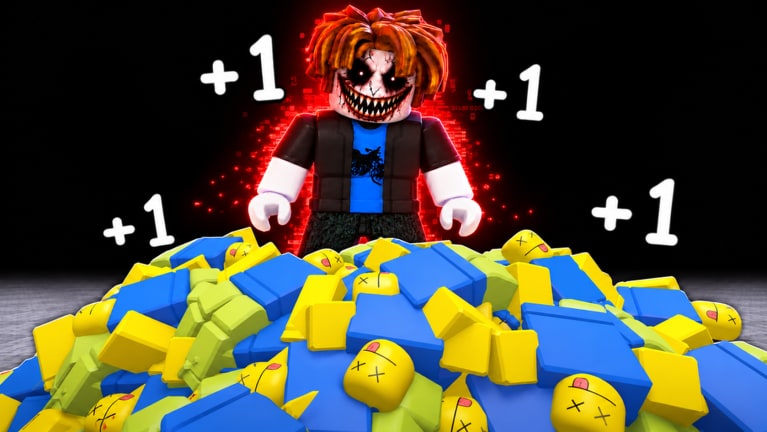
Welcome to Scary Evolution on Roblox—also listed as [W3] +1 Scary Evolution or +1 Scary Evolution. This beginner guide gets you from the tutorial into a stable Scare Power loop without wasting Wins or rebirthing too early.
The game is a free incremental horror simulator by BEST MINIGAMES INC. Your job is simple to say and deep to master: grow Scare Power, train on magic mirrors, scare NPCs through stages, ride Killer events, hatch pets, rebirth, and push worlds.
Minute 0–5: free rewards before you grind
Do social claims first so free currency is not left on the table:
- Like the experience on the Roblox page.
- Favorite it for quick return visits.
- Join the BEST MINIGAMES INC group (group id
889764827) for the free reward called out in the official description. - Open any in-game Codes / Rewards panel and redeem only strings you trust—see current status on the Codes Hub and steps on How to Redeem.
- Claim daily / playtime / free timers if they are already unlocked.
Skipping this block is the most common new-player mistake.
Minute 5–20: click, then train
Click to generate baseline Scare Power, then move to magic mirrors as soon as the tutorial allows. Mirrors are the AFK-friendly training backbone. Sit on the best mirror you can access and watch power climb faster than raw clicking.
Deep dive: How to Train Scare Power.
Tips
- Finish tutorial prompts so UI buttons unlock cleanly.
- Do not sprint into shops until you have a minute of mirror data—know your income rate.
- If you tab out, keep the Roblox window alive; Anti AFK tools exist in community scripts but are optional and risky (Scripts Hub).
Minute 20–40: clear early stages
With rising Scare Power, scare NPCs to complete stages. Stages convert training into map progress and eventually Wins. Clear what you can; if a stage soft-locks for several minutes, you need more training, a cheap killer, or a pet multiplier—not endless clicking on a stuck objective.
Read Stages and Worlds when you hit the first wall.
Killer event awareness (every few minutes)
Scary Evolution runs a Killer event on a short cadence. When it pops:
- Check the killer shop.
- Buy the upgrade that unlocks the next stage bracket without emptying Wins.
- Equip the best killer you own.
Full timing and Keep Wins habits: Killer Event guide. Role rankings: Killers tier list and the Players Hub.
Hatch your first pets
Pets multiply Scare Power / clear speed. Hatch early eggs even if rarities look modest—empty pet slots are free power left unused. After each hatch burst, equip best.
Details: Pets and Hatching · Pets tier list.
When to think about rebirth (not yet for most)
Rebirth makes you permanently scarier at the cost of a reset. New players should usually wait until:
- Stages in the current bracket feel easy.
- Pets and at least one solid killer are equipped.
- You understand recovery time back to your previous stage.
Read How to Rebirth before pressing the button. Rebirthing with zero multipliers is how accounts feel “ruined” for an hour.
First-session checklist
Use this as a literal checklist:
- Like + Favorite + join BEST MINIGAMES INC
- Claim any verified codes / free timers
- Complete tutorial
- Train on magic mirrors (not only click spam)
- Clear several early stages
- Survive one Killer event with a smart buy or equip
- Hatch and equip at least one pet set
- Bank a Wins buffer (do not zero out)
- Bookmark Guides Hub and Updates
- Only then evaluate optional BP Hub automation
Controls and UX expectations
Scary Evolution plays like other Roblox incremental sims:
- Click / tap for base Scare Power.
- Touch mirrors / training pads to AFK train.
- HUD buttons for shop, pets, rebirth, codes, and event banners.
- Mobile and desktop both work; precision clicking is less important than upgrade timing.
If a button is missing, finish tutorial steps or rejoin the server after a patch.
How this wiki fits your first week
| Goal | Open |
|---|---|
| Understand the fantasy | Wiki Hub |
| Power farming | How to Train |
| Map progress | Stages and Worlds |
| Event spends | Killer Event |
| Multipliers | Pets and Hatching |
| Prestige | How to Rebirth |
| Meta | Tier List Hub |
Common beginner mistakes
- Ignoring group / like / favorite rewards.
- Clicking forever instead of mirror training.
- Spending all Wins the moment they appear.
- Buying killers outside event windows when an event is 30 seconds away.
- Rebirthing to “feel progress” with empty pets.
- Trusting fake code lists (Codes Hub stays honest when the list is empty).
- Enabling Auto Rebirth in a script before knowing thresholds.
What “good” looks like after one hour
You should have higher Scare Power than at login, a few stages cleared, at least one killer decision made during an event, a pet equipped, and a plan for either more training or a world push. Leaderboard Wins can wait—consistency beats a single lucky spike.
When you return tomorrow, claim timers first, park on the best mirror, then spend only on upgrades that shorten stage clear time. That loop is Scary Evolution.
Frequently Asked Questions
Quick answers to the most common questions.
Is Scary Evolution free to play?
Yes. It is free on Roblox. Optional purchases may exist, but the core loop of training, stages, pets, and rebirth works without paying.
What should I do first in Scary Evolution?
Like, Favorite, and join BEST MINIGAMES INC for the free reward, finish the tutorial, then train Scare Power on magic mirrors before heavy shop spending.
When should beginners rebirth?
After stages feel easy and you have pets plus a decent killer. Read the rebirth guide so recovery time does not erase your session.
Are there beginner codes?
No confirmed public promo list was verified at research time. Still check in-game and follow the redeem guide whenever a real code drops.
Do I need a script as a new player?
No. Learn the manual loop first. Scripts are optional, risky under Roblox rules, and documented separately on the Scripts Hub.